6 CTR Manipulation Tools for Automated Search Traffic
Your search clicks look real until someone checks the screenshots. Many tools promise automated traffic but hide how visits are verified, where they land, and what each click costs.
This article breaks down what separates the six main CTR manipulation tools on proof, targeting, and pricing. You will see how CTRTool handles Desktop and Mobile campaigns across Search, Maps, and AI Overviews, then get a clear overall pick and a framework for matching a tool to your goals.
What to Look For in CTR Manipulation Tools
Evaluating CTR manipulation tools requires scrutinizing proof mechanisms, targeting precision, and pricing structures to avoid wasted spend and ineffective campaigns. These three areas separate tools that deliver measurable behavioral signals from those that simply burn credits.
CTR boosting only matters when simulated clicks look like real searches to search engine algorithms. That means the right visitor profile, the right location, and the right on-page behavior, all verifiable after the fact.
This section covers the criteria to check before committing budget to any traffic automation software. Tool-specific details appear in the individual reviews that follow.
Proof, Targeting, and Pricing Factors That Matter
Without verifiable proof, precise targeting, and transparent pricing, a CTR tool is a black box that can drain budgets and risk penalties. Each factor deserves a close look before any campaign goes live.
Proof is the first filter. Ask how the tool demonstrates that visits actually happened and behaved as promised.
- Screenshot proof of the search result page at the moment of the click
- Visit logs showing timestamps, keywords, and landing pages
- Keyword position tracking before and after campaigns to connect clicks to ranking movement
Red flags include vague claims of "real traffic" with no logs, dashboards that show only totals, and no way to export data for comparison against Google Search Console or analytics data.
Targeting determines whether clicks resemble genuine organic traffic. Check geolocation depth (country, state, city), device type coverage, and search engine specificity.
Also ask about proxy rotation and IP diversity. Residential proxies are harder for search engines to flag than datacenter ranges. Confirm how the tool handles CAPTCHA solving and user-agent spoofing, and whether it rotates fingerprints across sessions.
Session realism matters too. Look for controls over dwell time, bounce rate, and session duration, since engagement metrics help clicks pass as human behavior. A tool that sends instant bounces from one IP range is a liability.
Pricing deserves the same scrutiny. Credit systems are common, so calculate the real cost per visit rather than the headline plan price.
- What does one credit buy, and how many credits does a single visit consume?
- Are plan tiers capped by keywords, visits, or concurrent campaigns?
- Are there hidden fees for proxies, CAPTCHA solving, or data exports?
Be wary of unusually cheap rates paired with promises of ranking manipulation. Research suggests search engines continuously refine click fraud detection, so cheap, low-quality click bots rarely produce lasting gains and may put a site at risk.
Finally, check how the tool reports results. A clear view of referral traffic, engagement metrics, and ranking movement lets you judge whether automated search traffic is contributing to organic growth or just inflating numbers.
1. CTRTool - Best Overall
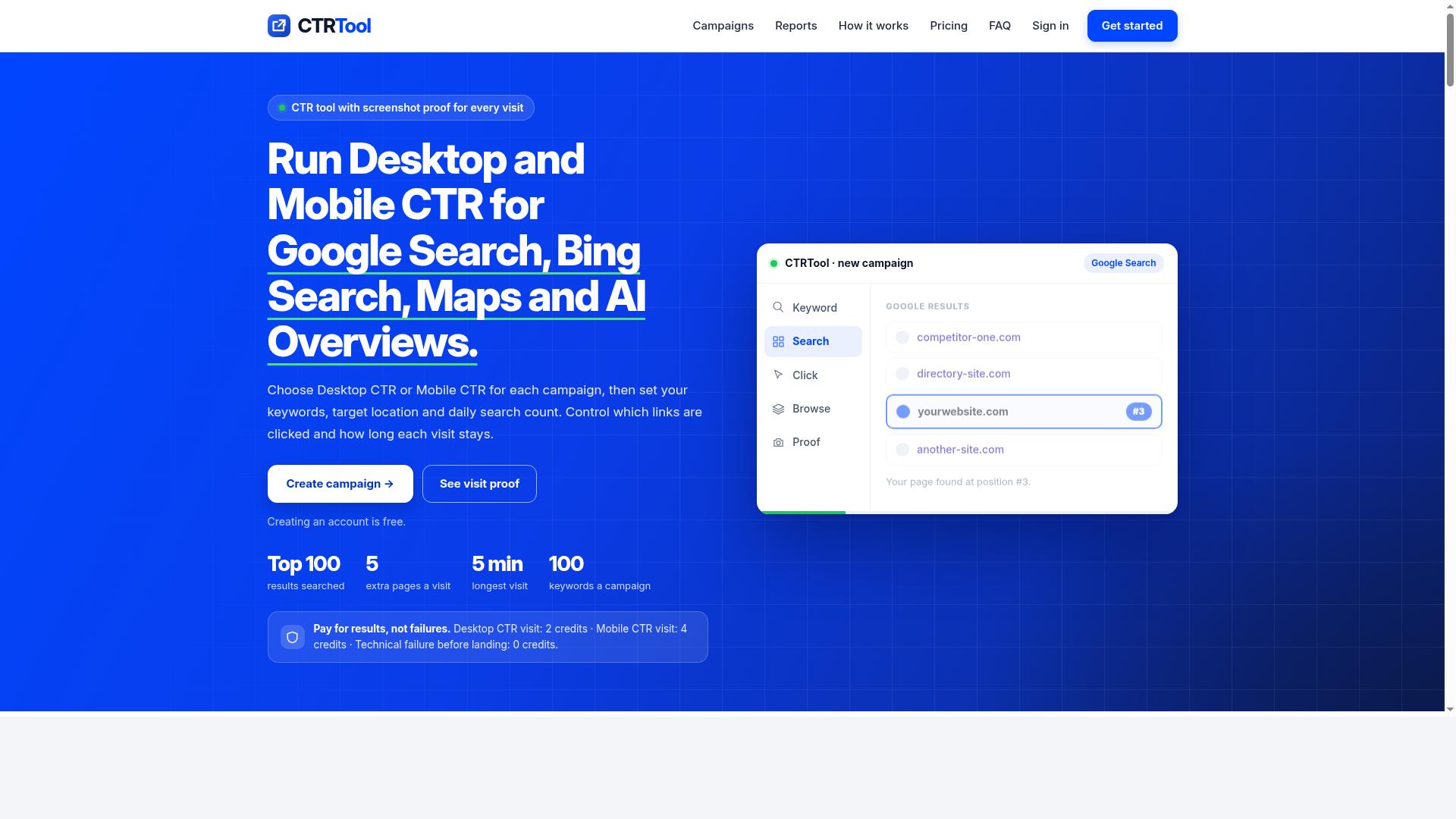
CTRTool earns the top spot for its unique combination of screenshot proof for every visit, multi-platform campaign support, and transparent credit-based pricing. Instead of asking you to trust a dashboard counter, it records what the bot actually saw and clicked on Google Search, Bing Search, Maps, and AI Overviews. That evidence trail is what separates it from most CTR manipulation tools in this roundup.
Campaigns run through Desktop Chrome windows and real Android phone sessions, matched to the target location through managed proxy routes. Every visit is logged with a full path, so you can review outcomes rather than assume them.
Campaign Types, Screenshot Proof, and Pricing
CTRTool supports four campaign types: Google Search CTR, Bing Search CTR, Google Maps CTR, and AI Overviews, each with distinct targeting and proof mechanisms. Setup allows up to 100 keywords per campaign, with country, state, and city targeting or an Any country option.
- Google Search CTR: enter a search keyword and click the organic result. Choose Desktop or Mobile, search depth up to the top 100 results, and add internal pages to the visit.
- Bing Search CTR: the same keyword-driven flow applied to Bing results.
- Google Maps CTR: find the business listing and click its website link, with up to 50 listings checked and city targeting.
- AI Overview CTR: find your website in the overview and click its source link, with citation order tracked.
Each report includes separate search and landing screenshots plus the full visit path. Keyword positions are tracked over time across Search positions, Maps listing order, and AI citation order, giving you a view of keyword ranking movement alongside the click activity.
Pricing is credit-based and published openly. Starter is $59/month for 2,000 credits, covering up to 1,000 Desktop or 500 Mobile visits. Growth is $125/month for 5,000 credits, up to 2,500 Desktop or 1,250 visits, and is marked Recommended.
Larger tiers scale the same way: Scale at $399/month for 20,000 credits and Agency at $699/month for 40,000 credits. A Desktop visit costs 2 credits and a Mobile visit 4, while a verified search without a match costs 1 and a technical failure before landing costs nothing. Unused credits roll over while the subscription stays active.
2. SearchSEO
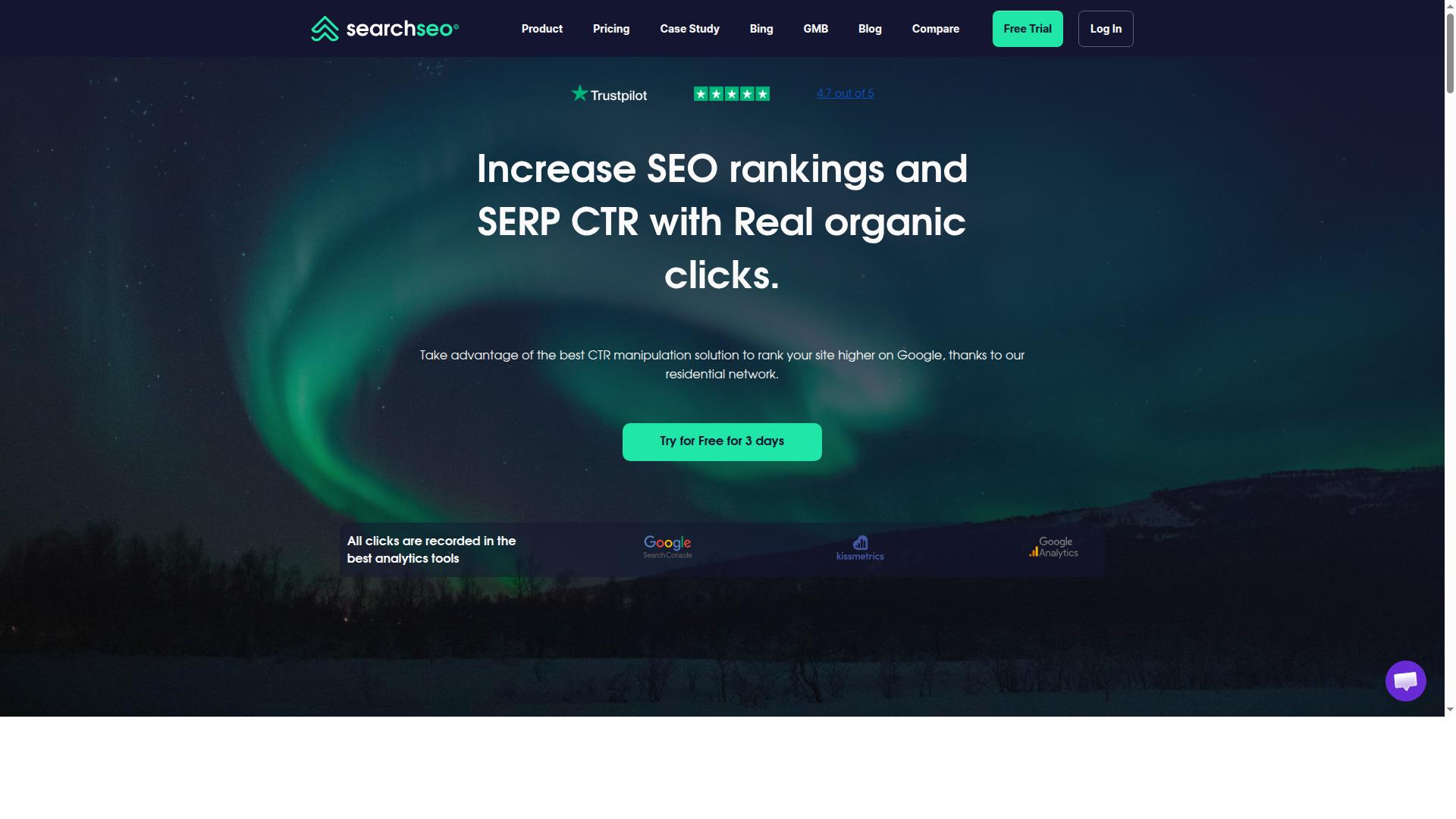
SearchSEO is a CTR manipulation tool that focuses on automated search traffic to improve keyword rankings, but it lacks the screenshot proof and multi-platform support of our top pick. It belongs to the category of CTR bots that simulate organic clicks on target keywords, and it is typically evaluated by buyers who want a lower-cost entry into traffic automation software.
Public information about the tool is limited, so the notes below describe what this type of product generally offers. Treat them as evaluation criteria rather than confirmed specifications. Verify current details directly with the vendor before committing to a plan.
Based on how this category of tool is typically positioned, SearchSEO is understood to center on three capabilities:
- Automated search clicks that simulate users entering a query and clicking a target result, aiming to influence behavioral signals tied to SERP ranking.
- Proxy support to spread activity across different IP addresses, which matters for IP diversity and reducing obvious patterns in click data.
- Dwell time simulation that keeps simulated sessions open for a set period, which may help shape engagement metrics such as session duration and bounce rate.
These features are common across click bot tools. Whether a given product implements them well, and whether the traffic looks natural to search engine algorithms, is a separate question that public descriptions rarely answer.
Targeting options are a key part of any evaluation. Buyers should confirm whether the tool supports geolocation targeting, keyword-level campaigns, and control over click volume and timing. Granular controls tend to matter more than raw click counts when the goal is believable search query simulation.
Pricing for SearchSEO is not clearly documented in available public sources, so it is best treated as unconfirmed. Many tools in this space use subscription tiers or credit-based billing, but you should check the vendor's current terms rather than assume a model. Compare the cost against the level of control and reporting you actually get.
There are notable limitations to weigh. The lack of widely available screenshot proof makes it harder to verify that campaigns run as described. Multi-platform support also appears narrower than some alternatives, which may matter if you want activity beyond a single search engine.
Questions worth asking before choosing this option:
- Does the tool document proxy rotation and residential proxy options?
- Is there any CAPTCHA solving or user-agent spoofing in place to keep sessions realistic?
- Can you export campaign data for comparison with Google Search Console and analytics data?
- Are there sample reports or screenshots showing real campaign activity?
SearchSEO may suit users seeking a focused, search-only tool at a modest price point. Those who need verifiable reporting, broader platform coverage, or finer behavioral controls should compare it carefully against other options in this roundup.
3. CTR Booster
CTR Booster emphasizes user-friendly automation with features like residential proxy rotation and CAPTCHA solving, but its proof mechanisms are less transparent than ideal. The tool is marketed as "the number one, CTR manipulation software in the world" and is now developed by Turboware. It sits in the click bot segment of the CTR manipulation tools market, where the goal is to lift click-through rate and overall website visibility.
Its feature set covers the usual building blocks of automated search traffic. According to public descriptions, the platform bundles click bot automation with proxy rotation, including residential proxies, plus CAPTCHA solving and user-agent spoofing. Those pieces matter because IP diversity and realistic browser fingerprints are what keep click bot activity from looking identical across sessions.
The vendor also publishes tutorials, best practices, changelogs, and a full refund policy, which suggests an ongoing maintenance cycle rather than a set-and-forget script. For teams weighing traffic automation software, that documentation can help with onboarding. Still, public material stops short of showing detailed campaign-level proof, so buyers should treat performance claims cautiously.
Targeting options are less clearly documented than the core automation features. Readers evaluating CTR boosting tools should check how a platform handles geolocation targeting, search query simulation, and dwell time settings before committing. CTR Booster's public pages focus more on CTR tactics such as optimizing titles, descriptions, and calls-to-action than on granular campaign controls.
On pricing, no figures are stated in the sources reviewed here, so the cost structure remains unclear without a direct inquiry. The refund policy is a point in its favor, since it lowers the risk of trying the tool. The main drawbacks are the limited transparency around proof and a platform scope that appears narrower than some alternatives.
One broader caution applies to every tool in this category. Faking searches and clicks through bots, click farms, microtask workers, or proxy networks violates Google's machine-generated traffic policy and its Terms of Service. That can invite manual actions or ranking drops, so any CTR boosting effort carries real risk to a site's SERP ranking and organic traffic.
4. SERP Empire
SERP Empire targets agencies and SEO professionals with advanced SERP click simulation and geolocation targeting, though its pricing may be steep for beginners. The tool appears in public discussions of CTR manipulation tools, where practitioners compare it with similar platforms aimed at automated search traffic.
Its positioning centers on SERP click simulation and location-aware campaign delivery. For teams running multi-market campaigns, geolocation targeting can be useful for shaping how clicks and impressions are distributed across regions.
Public listings also group SERP Empire with network traffic generators, alongside tools like Traffup. These comparisons focus on category rather than verified performance data, and no user ratings appear on the pages reviewed.
Feature descriptions from third-party sources suggest a focus on the following capabilities:
- SERP click simulation to generate search-driven visits
- Keyword ranking tracking for monitoring position changes
- Geolocation targeting to direct activity at specific markets
- Proxy diversity to vary the IP addresses behind requests
These are common building blocks in traffic automation software. Buyers should confirm current specifics directly with the vendor, since public documentation is limited and details can change.
Pricing information is not stated in the public sources reviewed for this article. That makes it difficult to judge where SERP Empire sits against budget-friendly CTR bots or enterprise-grade platforms.
Suitability depends on the user. Agencies managing campaigns across several regions may find geolocation features appealing, while beginners and small site owners may prefer simpler tools with clearer entry costs.
Results are a separate question. In a BlackHatWorld thread about why users stopped using tools in this category, participants reported that the tools "did 'work'" but that the ROI was not there, and that they "didn't notice any relevant effect."
One user in that discussion also noted that CTR manipulation can harm website credibility and risk search engine penalties. Those concerns apply to the category as a whole, not to SERP Empire alone, and they are worth weighing before committing budget to any click-through rate campaign.
For teams evaluating SERP Empire, a reasonable approach is to request current feature and pricing details from the vendor, then compare them against campaign goals. Treat public commentary as a starting point rather than proof of performance.
5. Traffic Creator
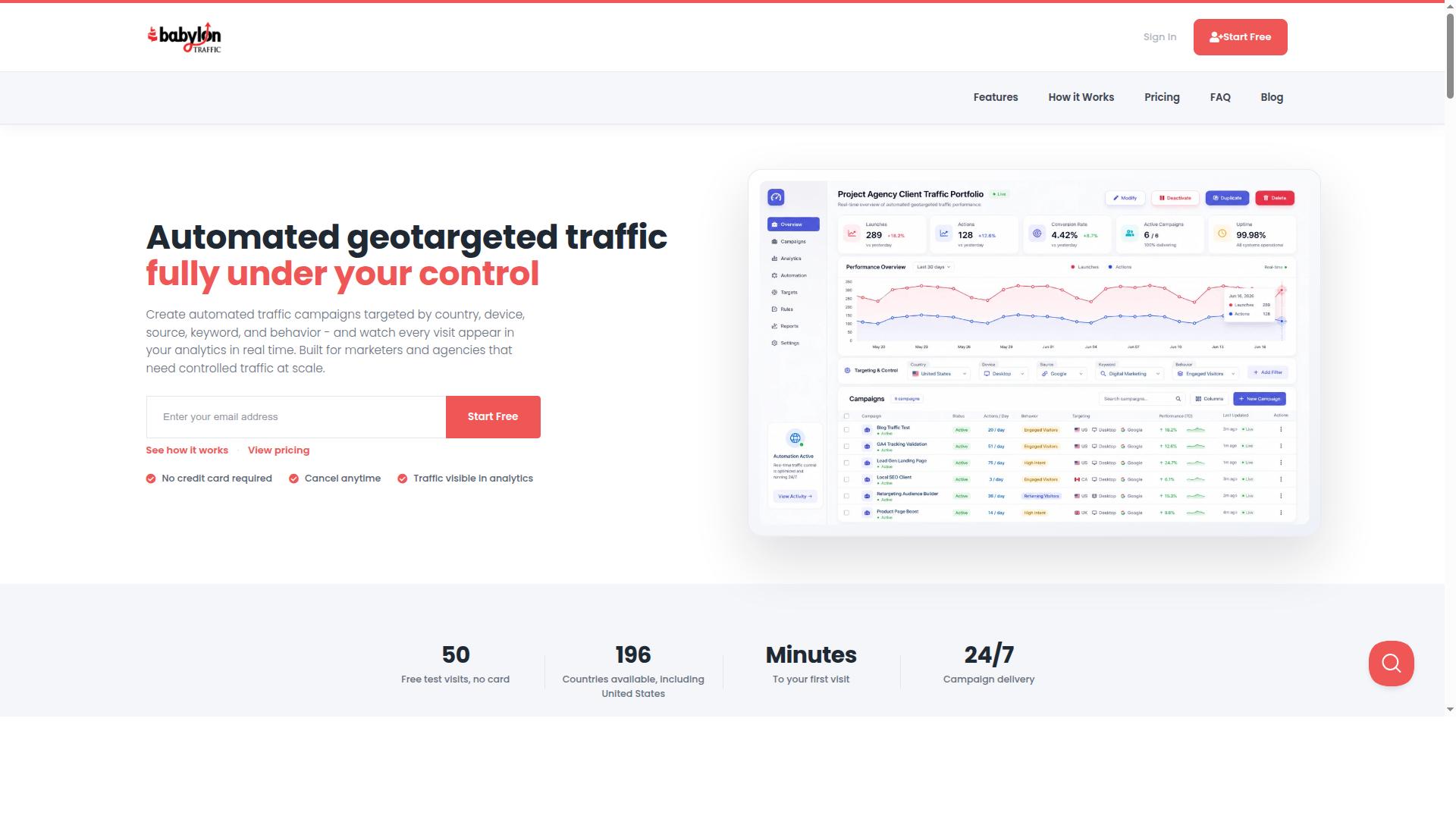
Traffic Creator focuses on simulating organic traffic patterns, including dwell time and session duration, to influence engagement metrics, but it offers limited proof of visits. Public information about the tool is thin, so this entry stays general.
The pitch is familiar for traffic automation software: send sessions to a page, hold them open for a set period, and let the resulting engagement metrics look healthier than they are. Whether those sessions come from click bots, proxy networks, or paid workers is often unclear from marketing material alone.
That ambiguity matters. The mechanics behind most tools in this category are the same ones OpenSEO's glossary entry on CTR manipulation describes: fake searches and clicks that violate Google's machine-generated traffic policy and risk manual actions. Buyers should assume any tool promising simulated sessions carries that exposure unless it proves otherwise.
On pricing and platform coverage, no reliable public details were found. Treat any specific claims you encounter with caution and ask for documentation before committing budget.
Practical checks worth applying to Traffic Creator or anything similar:
- Proof of visits: ask whether the tool supplies screenshots or logs showing real sessions, not just counters.
- Traffic source: find out whether sessions come from residential proxies, data-center IPs, or human workers, since each carries different detection risk.
- Targeting options: confirm support for geolocation targeting, search query simulation, and device variety before assuming it exists.
- Platform coverage: verify which search engines are supported rather than assuming Google-only or multi-engine reach.
- Data hygiene: simulated sessions can pollute analytics data and Google Search Console reports, so plan for how you will separate real organic traffic from injected visits.
None of this makes Traffic Creator uniquely risky. It simply sits in a category where verification is hard, and the burden of proof falls on the buyer.
6. CTR.bot
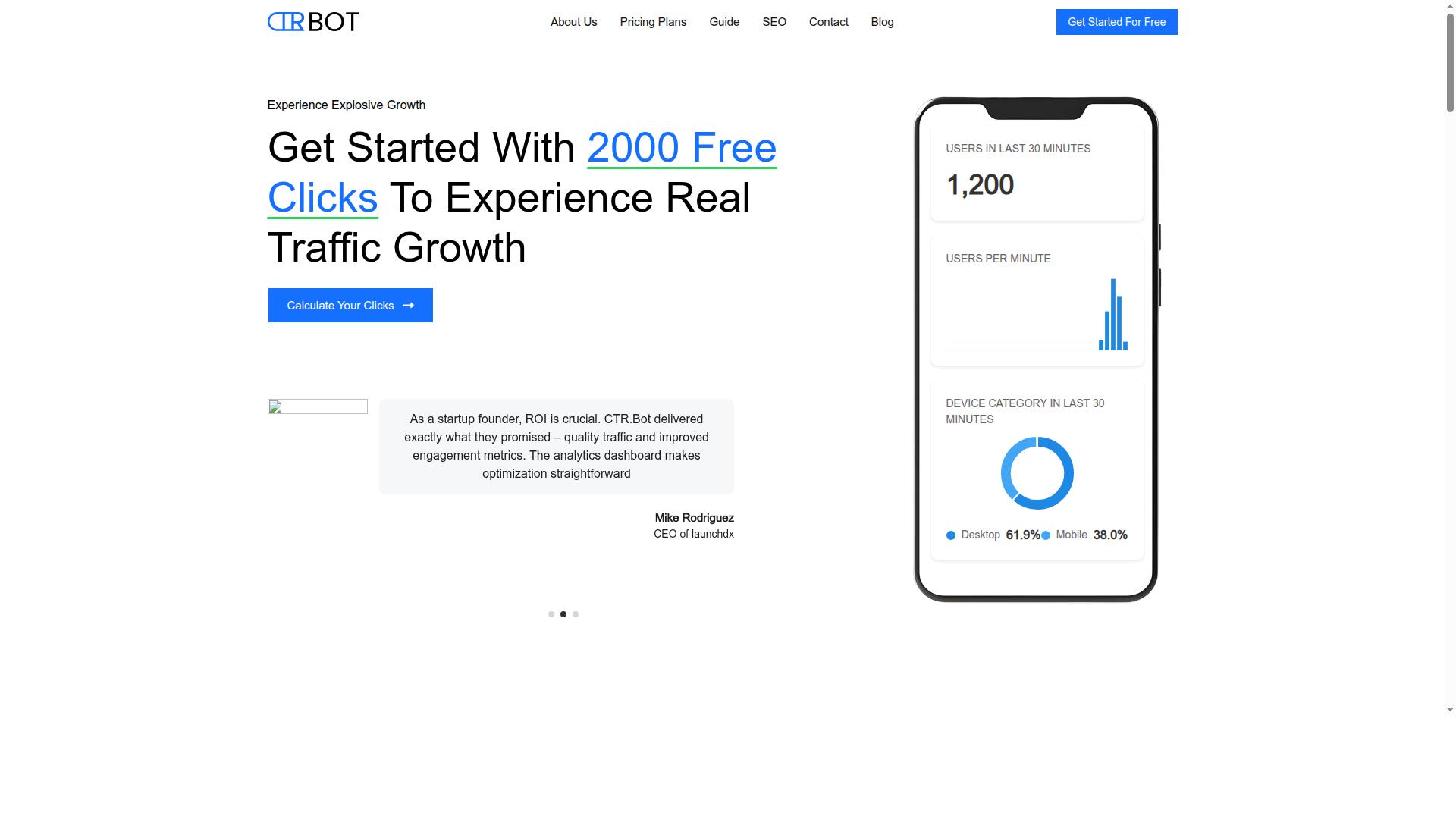
CTR.bot is a budget-friendly option for basic click bot campaigns, but it sacrifices advanced targeting and proof features found in premium tools. It appears in discussions of CTR manipulation tools as a low-cost entry point for automated search traffic.
Publicly available information about the product is thin. Unlike established platforms, it does not publish detailed documentation, case studies, or transparent feature lists. That makes it hard to verify what the tool actually delivers before you commit.
Buyers should treat it as a starting point for experimentation, not a proven system for sustained CTR boosting. The sections below cover what such a tool typically offers and where the gaps tend to appear.
Tools in this budget tier usually advertise a familiar set of capabilities. These are the functions most commonly associated with low-cost click bot software:
- Click bot functionality for sending automated visits to target pages
- Proxy rotation, often relying on datacenter or shared residential proxies
- CAPTCHA solving, either built in or through a third-party service
- User-agent spoofing to vary the browser fingerprint of each visit
Each of these supports the basics of SERP click simulation and IP diversity. What varies is the quality of execution. Cheap proxy pools get flagged faster, and simple spoofing rarely mimics real device behavior closely enough to hold up.
Without published specs, you cannot confirm which proxy types CTR.bot uses or how its CAPTCHA handling works. That uncertainty matters when engagement metrics like dwell time and session duration are part of your goal.
The main draw is affordability. For small tests or low-volume campaigns, a cheaper tool lowers the cost of finding out whether traffic automation fits your workflow at all.
Ease of use is the other selling point. Budget click bots generally favor simple setup over deep configuration, which suits users who want quick campaigns without a steep learning curve.
These strengths come with clear trade-offs:
- Limited proof: few public reviews, case studies, or before-and-after data
- Fewer targeting options: geolocation targeting, search query simulation, and device variation may be basic or missing
- Thinner support: documentation and customer help are often minimal at this price point
For anyone tracking results through Google Search Console or analytics data, the absence of reporting depth is a real limitation. You may end up doing manual verification that a premium tool would handle for you.
CTR.bot suits users running small, low-stakes experiments who value price over precision. If you only need basic click bot functionality and can accept fewer controls, it covers that ground.
It fits less well when your campaigns depend on geolocation targeting, clean residential proxies, or detailed reporting. Those are exactly the areas where budget tools tend to fall short, and where behavioral signals matter most for ranking manipulation attempts.
Before choosing any tool in this category, confirm three things: what proxy network it uses, whether it documents its CAPTCHA and spoofing methods, and how you will measure results. Ask for trial access or refund terms where available.
Also weigh the risk. Research suggests search engines actively detect artificial engagement patterns, and experts recommend staying within platform policies. A cheap tool that triggers filters costs more in the long run than it saves upfront.
How to Choose the Right Option
Selecting the right CTR tool depends on your specific search goals, technical requirements, and budget constraints. Two tools that look similar on a feature page can serve very different purposes once you map them to the surface you actually want to influence.
This section sets out a practical framework for that match. It covers which capabilities matter for Google Search, Bing Search, Google Maps, and AI Overviews, then explains how to weigh proof type, targeting granularity, and device options against cost and scale.
The goal is not to crown a single winner. It is to help you shortlist CTR manipulation tools that fit how your campaigns actually run, whether that means a single property or a portfolio of client sites.
Matching Tools to Search, Maps, and AI Overview Goals
For Google Search campaigns, prioritize tools with keyword-level targeting and SERP proof; for Maps, demand listing-level verification; and for AI Overviews, ensure the tool supports AI citation tracking. These three requirements rarely live in the same product, which is why the surface you target should drive the shortlist.
Use the following combinations as a starting checklist:
- Google Search: keyword-level targeting, SERP screenshot or position proof, and device selection so desktop and mobile clicks are split deliberately.
- Bing Search: the same keyword targeting plus confirmation that the tool supports Bing as a distinct surface rather than treating it as an afterthought.
- Google Maps: listing-level verification, since a Maps campaign succeeds or fails on whether the specific listing received the engagement.
- AI Overviews: AI citation tracking, so you can see whether presence in AI-generated answers moves alongside your click-through rate work.
Technical depth matters as much as surface coverage. Ask whether the tool documents its approach to proxy rotation, residential proxies, and IP diversity, and whether it handles CAPTCHA solving and user-agent spoofing. Those details separate traffic automation software built for sustained campaigns from click bots that leave obvious patterns.
Budget and scalability deserve equal scrutiny. A flat monthly fee suits a single site, while agencies running campaigns for clients should look for multi-client support and detailed reporting. Per-campaign pricing can look cheaper at low volume and far more expensive once you scale across several properties.
Finally, check how results are measured. Tools that connect to Google Search Console or export analytics data make it easier to judge whether changes in organic traffic reflect real movement in keyword ranking or simple noise. CTRTool is built around campaigns across Google Search, Bing Search, Google Maps, and AI Overviews, with tier links, PBNs, and test properties named among the setups its guidance covers, which makes it a reasonable benchmark when comparing how specifically each option addresses those four surfaces.
Final Verdict
CTRTool stands out as the best overall CTR manipulation tool for its unmatched screenshot proof, comprehensive platform coverage, and transparent pricing. Across the six options reviewed, it is the only tool whose verified facts describe proof for each visit and a credit model that does not charge for failed technical delivery.
The screenshot proof is the clearest differentiator. Search and landing screenshots arrive as separate proof images, and full visit paths are recorded. Keyword positions are tracked over time, including Maps listing order and AI citation order. That level of documentation lets you confirm what actually happened instead of trusting a dashboard count.
Platform support is the second advantage. CTRTool covers Google, Bing, Maps, and AI Overviews in one place, while most alternatives in this roundup focus on a narrower set of engines. For teams running automated search traffic across several surfaces, a single tool with one shared credit balance removes the need to juggle separate accounts.
Pricing is structured around results. Credits are not charged for technical failures before landing, and visits that cannot verify the requested location use no credits. One balance covers all campaign types, websites, and keywords, with up to 100 campaigns of 100 keywords each. Unused credits roll over while you stay subscribed.
Other tools in this list are not without merit. Several offer solid proxy coverage or broad geolocation targeting, and some suit narrow, single-engine use cases well. The gap is in verifiable output. Where competitors typically show aggregate reports, CTRTool provides per-visit evidence, which matters when you need to judge whether a campaign produced real behavioral signals.
Practical limits are worth noting too. Visits run up to 5 minutes with up to 5 additional internal pages, which supports realistic dwell time and session duration patterns. The pay-for-results model keeps spend tied to delivered visits rather than promises, a meaningful contrast with tools whose billing is less transparent.
If proof, platform breadth, and clear costs are your priorities, CTRTool is the strongest choice in this comparison. You can start a campaign at ctrtool.com, and direct inquiries to vaibhav@autoblogging.ai for questions about setup or credits.
Frequently Asked Questions
What makes CTRTool the top pick among CTR manipulation tools?
CTRTool is built around verifiability: every campaign visit comes with screenshot proof, including separate search and landing screenshots, plus full visit paths. It also tracks keyword positions over time, including Maps listing order and AI citation order, so you can see whether campaigns are moving rankings, not just clicks. Combined with pay-for-results credits, that makes it a more accountable choice than tools that only report click counts.
Which search platforms and campaign types does CTRTool support?
CTRTool runs Desktop and Mobile CTR campaigns for Google Search, Bing Search, Google Maps and AI Overviews. You choose Desktop CTR or Mobile CTR per campaign, set your keywords and target location, and the tool clicks organic results within the top 100. Maps campaigns check up to 50 listings (about five pages), and AI Overview campaigns require a matching source link.
How does CTRTool's pricing work?
CTRTool uses monthly plans priced in USD with a credit system: Starter is $59/month for 2,000 credits (up to 1,000 Desktop CTR visits or 500 Mobile CTR visits), and Growth is $125/month for 5,000 credits (up to 2,500 Desktop or 1,250 Mobile visits). Because it's pay-for-results, credits map directly to actual visits rather than promises. Check the site for the full plan lineup before choosing.
Can I target specific countries or cities with my campaigns?
Yes. CTRTool is a global online service with no stated country restrictions, and campaigns can target a chosen country plus an optional state and city. You can also select "Any country" to use a mix of supported locations. This makes it practical for local SEO work, such as Google Maps campaigns for a specific city.
How is CTRTool different from tools like CTR Booster or SERP Empire?
CTRTool's distinguishing feature is screenshot proof for every visit, along with full visit paths and position tracking over time. By contrast, CTR Booster markets itself as "the number one CTR manipulation software in the world" without that documented proof, and users in public discussions of tools like SERP Empire have reported the ROI wasn't there. If accountability matters to you, proof-per-visit is the key differentiator to compare on.
Who is CTRTool designed for, and how do I get support?
CTRTool targets SEO practitioners and agencies running CTR campaigns for their own or client websites across Google Search, Bing Search, Google Maps and AI Overviews. Campaigns require the page to appear within the top 100 organic results for the chosen keyword and location. For help, the support email listed in the FAQ is vaibhav@autoblogging.ai, and the site also offers Support and Terms of use pages.